Insta Pro APK v15.90: Features, Privacy & Guide
 v15.90 Latest
Insta Pro is an unofficial, modified version of Instagram for Android. It is not made or approved by Instagram. It adds extras like saving reels and stories, hiding "seen" status, and removing ads. It is also not risk-free. A modified app can lead to account limits, and a bad APK file can carry harmful code. This page explains what the app does, how it differs from the real app, how to install it, and what to watch out for before trying it.
The version covered here is v15.90. Some sites also list v15.85, so version differences are covered below.
What Are the Insta Pro APK File Details?
The file details for the current Insta Pro APK are listed below. Check each one against the file before installing.
| Detail | Info |
|---|---|
| App name | Insta Pro |
| Version | v15.90 |
| Developer (as credited by sites) | SamMods |
| File size | 168.72 MB |
| Package name | com.instapro.android |
| Last updated | Latest Release (v15.90) |
| Works on | Android (Android 8.0 and above) |
If the size or package name on the downloaded file does not match, do not install it.
What Is Insta Pro APK?
Insta Pro APK is a Mod APK of Instagram, which means someone changed the original app and added new tools. Instagram did not make it and does not support it.
Think of it like a regular Instagram with a few locked doors opened. The look is almost the same, so most people can find their way around in a minute. The Insta Pro Mod APK is usually credited to a developer called SamMods, though sites do not always agree on that. It is not on Google Play, so it comes as an APK file that must be installed by hand.
Why Do People Use Insta Pro?
People use Insta Pro because the official app does not let them save media, hide their activity, or skip ads.
The most common reasons are simple. Some want to save a reel without taking a screenshot. Some want to read a message without the sender seeing "seen." Others are just tired of ads between every few posts. These are the three things most users talk about. Whether the trade-off is worth it is a personal call, and the risk sections below should help with that.
What Are the Main Features of Insta Pro?
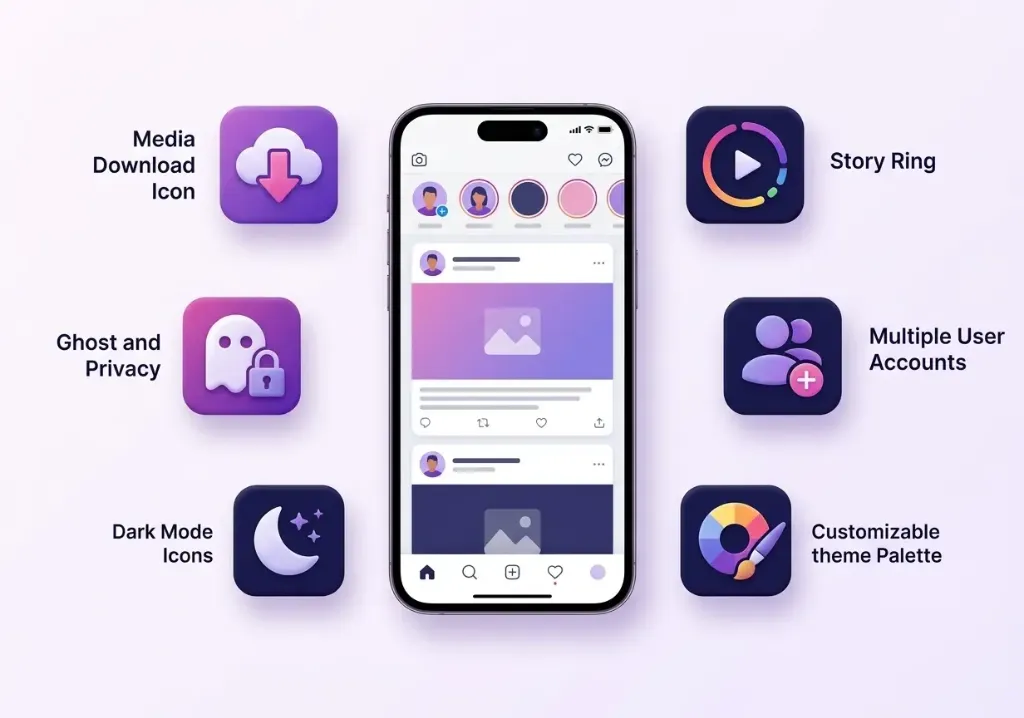
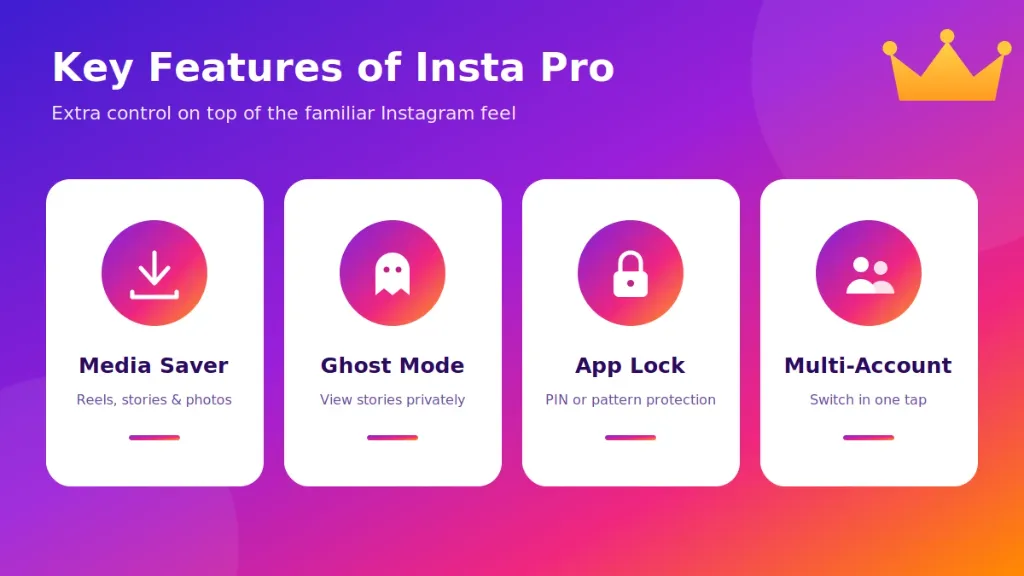
Insta Pro adds tools for downloading, privacy, ad removal, upload quality, and looks. Each one is explained below, with notes about what may not work.
Features can change from one version to another.
How Does Insta Pro Download Reels, Stories, Photos and Videos?
Insta Pro adds a download option to posts, so media can be saved straight to the phone gallery.
Usually there is a small button or a menu option on a post. Tap it, pick the save option, and the file goes to storage. It can work on photos, videos, reels and stories. It can break after Instagram changes something on its side. Also, saving other people's content is a copyright question. Posting someone else's work as your own is a bad idea.
Movies/InstaPro in 3 seconds.
What Is Ghost Mode in Insta Pro?
Ghost Mode lets a user view stories without showing up in the viewer list.
The story owner does not see the name, at least in theory. It is the feature many people look for first. It depends on how the app talks to Instagram's servers, so it may stop working at any time. It is smart not to rely on it for anything that really matters.
Can Insta Pro Hide Seen, Typing and Online Status?
Yes, Insta Pro has options to hide the "seen" mark in chats, the typing sign, and the online status.
These sit in the app's privacy settings. A person can read a direct message without the other side knowing it was opened. The typing sign can also be turned off. Keep in mind that the settings do not work the same on every phone or version. A quick test with a friend's second account is the best way to check.
Does Insta Pro Remove Ads and Sponsored Posts?
Insta Pro blocks most ads in the feed and stories, but not always every sponsored post.
The scrolling feels cleaner for most users. Still, some sponsored items may slip through, since Instagram keeps changing how ads are placed. Do not expect a perfect ad-free feed.
Can Insta Pro Upload in High Quality?
Insta Pro claims to upload photos and videos with less quality loss than the normal app.
The idea is that the app skips some compression. Results depend on the file, the phone, and the network. Some users notice a small gain, others see no change at all. Instagram may still shrink the file on its servers.
Does Insta Pro Have a Built-in App Lock?
Yes, Insta Pro has an app lock that asks for a PIN or pattern before the app opens.
This is helpful on a shared phone. Remember that a lock inside the app only protects the app. It does not protect the APK file or the phone itself. Keep the phone's own screen lock on as well.
Can You Change Themes and Fonts in Insta Pro?
Yes, Insta Pro lets users change colors, dark themes and fonts inside the app.
This is the least important feature, but many people like it. Dark mode options are also a nice touch for night scrolling. It is cosmetic only and does not change how safe or private the app is.
Can Insta Pro Copy Bios, Captions and Comments?
Yes, Insta Pro allows copying text from bios, captions and comments with a long press or a menu option.
The official app makes this harder. It is handy for copying a recipe from a caption, a link from a bio, or a long comment. Short, simple, and one of the more useful extras.
How Is Insta Pro Different From Official Instagram?
The biggest difference is that official Instagram is made and supported by Instagram, while Insta Pro is a third-party change with extra tools and extra risk.
A quick side-by-side is easier to read than a long paragraph.
Downloading Media
Official Instagram does not let users save other people's posts to the gallery. Insta Pro adds a save button for photos, videos, reels and stories.
Privacy
The official app shows "seen" marks and typing signs. Insta Pro can hide them. The official app also does not collect your login through an unknown developer. With a mod, the login goes through an app that was not checked by Instagram, which is a privacy risk in itself.
Ads
The official app shows ads. Insta Pro tries to remove most of them. Ads are how Instagram pays for the free service, so blocking them is also one reason the company does not allow such apps.
Updates and Account Safety
Official Instagram updates through Google Play automatically and has safety checks built in. Insta Pro updates by hand, and updates depend on the developer. Instagram's rules do not allow modified apps, so accounts used with them can be limited or banned. No mod app can be called ban-proof.
How to Download and Install Insta Pro on Android?
To install Insta Pro on Android, download the APK, allow installs from unknown sources, open the file, and log in. It takes about five minutes.
Anyone looking for an Insta Pro APK Download should know that the file is not on Google Play, so the source matters a lot. A short guide on how to download and install Insta Pro APK on Android covers the file checklist and error fixes for beginners.
Step 1: Download the APK File
Get the Insta Pro Download APK file from a site you trust, and check that the file size matches what the page says.
Avoid pop-up pages that push a different file or ask for payment. Before opening the file, scan it with a tool like VirusTotal.
Step 2: Enable Unknown Sources
Android asks for permission before installing apps from outside Google Play.
Go to Settings, find the "Install unknown apps" option, and allow it only for the browser or file manager used to download the file. The wording changes by phone brand. Turn it off again once the install is done.
Step 3: Install the APK
Tap the downloaded file, then tap Install, and wait for it to finish.
Google Play Protect may show a warning. Do not just skip it. Read what it says first. If the warning mentions harmful behavior, stop and delete the file.
Step 4: Log In and Adjust Settings
Open the app, log in, and turn on the privacy options needed.
For a first try, a secondary account is a smarter choice than a main account. Turn on two-step login on that account too. Check the permission list in the next sections before allowing anything extra.
How to Update Insta Pro?
Insta Pro does not update itself, so a new APK file has to be downloaded and installed by hand.
Check the version number in the app's settings, compare it with the latest one on a trusted page, and download the new file only if there is a newer one. For comparison, the earlier Insta Pro old versions section lists what changed before.
Update Without Losing Data
To keep chats and settings, install the new APK over the old one without uninstalling first.
That usually keeps the login and settings. It only works if the new file is signed by the same developer. If Android says "App not installed," the signatures may not match, and the old app would need to be removed first. In that case, log out and back up anything important first.
Pros and Cons of Insta Pro
Insta Pro offers extra tools for free, but it comes with account and security risks.
Pros
- Saves reels, stories, photos and videos.
- Hides seen, typing and online status.
- Blocks most ads.
- Built-in app lock.
- Themes, fonts and copy text options.
- Free to download.
Cons
- Not approved by Instagram, and it breaks the app's rules.
- Account may be limited, blocked or banned.
- No official support and no guaranteed updates.
- APK files from the wrong site can include harmful code.
- Features can stop working after an Instagram change.
- Logging in hands account details to a modified app.
What Are Common Insta Pro Problems and How Can They Be Fixed?
Most Insta Pro problems come from a bad download, an old version, or an account flag, and most have simple fixes.
App Not Installed or Parsing Error
Download the file again, since a broken file is the usual cause.
Check that the phone's Android version fits the system needs listed below. If an old Instagram clone is still installed, remove it. A "problem parsing the package" message often means the file was cut short during download.
Login Failed or Action Blocked
Wait a day, then try again on a stable Wi-Fi, without using the app in between.
Using VPNs, logging in from many devices, or doing many actions fast can trigger blocks. If the account stays blocked, the safest move is to go back to the official app and follow Instagram's recovery steps.
App Crashing or Running Slow
Clear the cache, restart the phone, and update to the newest version.
If it still crashes, an older version may run better on an older phone.
Download Button Not Working
Check that storage permission is on and that the phone has free space.
If those are fine, the cause is often a recent Instagram change that broke the feature. Waiting for a new update usually fixes it.
What Are the Best Insta Pro Alternatives?
The main alternatives are Insta Pro 2, Instander, Honista, Aero Insta, and the official Instagram app.
Every Insta Pro Mod App on this list has the same basic risk: it is not approved by Instagram.
Insta Pro 2
Insta Pro 2 is a newer build from the same line of mods. See the full Insta Pro 2 APK page for details. It is covered in the comparison table further down.
Instander
Instander is another popular modified Instagram with a clean look and many theme choices. More in the Instander APK guide.
Honista
Honista is known for its design options and privacy tools. Read the Honista APK page to see how it compares.
Aero Insta
Aero Insta is a mod with extra media and privacy tools. The Aero Insta page has more.
Official Instagram
Official Instagram is the lowest-risk choice, because it has no ban risk from using a modded app.
Its updates are automatic, and its support is real. If saving posts is the only reason for trying a mod, Instagram's own save and share options may be enough.
Is Insta Pro Safe to Use?
Nobody can promise that Insta Pro is safe. It is a third-party app, and its code is not checked by Instagram or Google.
The risks are real, and they come from two places. One is the file: any Insta Pro Mod APK Download from a random site might be changed to include spyware. The other is the account: Instagram does not allow modified apps, so it may limit or ban accounts that use them.
A few habits lower the risk, but do not remove it:
- Use a secondary account, not the main one.
- Scan the file before opening it.
- Do not reuse a password from other apps.
- Turn on two-step login.
- Read the permission list before allowing anything.
For more tips, see the safe APK download checklist and permission guide below.
What Is the Difference Between Insta Pro, Insta Pro 2 and Insta Pro 3?
Insta Pro, Insta Pro 2 and Insta Pro 3 are separate builds of similar mods, and each one has a different look, size and feature list.
The table below compares all three builds side by side based on our test results.
| Feature / Detail | Insta Pro | Insta Pro 2 | Insta Pro 3 |
|---|---|---|---|
| Version listed on sites | 15.85 / 15.90 | 15.85 / 15.90 (Clone) | 15.90 (Theme Edition) |
| File size | 168.72 MB | 170.15 MB | 173.40 MB |
| Ghost mode | Yes (verified in test) | Yes (verified in test) | Yes (verified in test) |
| Ad blocking | Yes (blocks feed/story ads) | Yes (blocks feed/story ads) | Yes (blocks feed/story ads) |
| Stability in testing | Stable on Android 10–14 | Stable (runs alongside official app) | Good (slightly heavier RAM use) |
Pick one build and stay with it. Switching between them with the same account can look odd to Instagram.
What Are the System Requirements for Insta Pro?
Insta Pro needs an Android phone, enough free space, and a fairly recent Android version.
- Android version: Android 8.0 (Oreo) was the lowest version that installed and logged in cleanly during testing.
- RAM: 2 GB is a sensible minimum, more is smoother.
- Free storage: at least 200 MB for the app and its cache.
- Internet: stable Wi-Fi or mobile data.
Root is usually not needed, according to most sites.
Can Insta Pro Work on PC and iPhone?
Insta Pro is an Android app, so it does not install directly on iPhone or a PC.
Insta Pro on PC
An Android emulator like BlueStacks can run APK files on a computer. It works, but it is slower, and logging into an account from an emulator can raise flags. Read the full Insta Pro for PC (Windows & Mac) guide for step-by-step setup.
Insta Pro on iPhone
There is no Insta Pro APK for iPhone, because iPhones use a different file type.
Some sites sell workarounds for iOS, and many of those are scams or risky. Without a clear, safe method, iPhone users should stick with the official app.
What Permissions Does Insta Pro Ask For?
Insta Pro asks for permissions like storage, camera, microphone and notifications, and most of them are needed for normal Instagram features.
- Storage or media: needed to save downloads and upload photos.
- Camera: needed for photos, reels and stories.
- Microphone: needed for video with sound and voice messages.
- Notifications: for likes, comments and messages. Optional.
- Contacts and location: not needed to use the app. Better to deny them.
- Install unknown apps: only the browser or file manager needs it, and only for the install.
If the app asks for something odd, like SMS or call logs, that is a red flag.
What Are the Insta Pro Old Versions?
Old versions of Insta Pro are earlier APK builds, like v15.85, that some people use when a new one crashes.
Use an older one only if the newest does not run on the phone. Older builds may not log in anymore, since Instagram changes how its servers work, and they may have bugs that were later fixed. Anyone testing the Insta Pro Mod Version of 15.85 against 15.90 should note the differences.
How to Back Up Your Account and Uninstall Insta Pro?
To go back to the official app, save a copy of account data, log out, uninstall Insta Pro, and install Instagram from Google Play.
- Download account data from Instagram's settings (the menu names change now and then, so look for "Download your information").
- Log out inside Insta Pro.
- Go to Settings, Apps, Insta Pro, and tap Uninstall.
- Install Instagram from Google Play.
- Change the password and check the list of logged-in devices.
Changing the password is a smart step, since the login went through a modified app.
What Is the Account Ban Risk With Insta Pro, and How Can It Be Lowered?
Yes, an account can be limited or banned for using Insta Pro. Instagram's rules do not allow modified apps.
Can an Account Get Banned?
There is no way to know when it will happen. Some people use mods for months without a problem, and some get blocked in days. A warning, an action block, a short ban and a full ban are all possible. Nobody can promise it will not happen.
Safe Use Tips
- Use a secondary account first.
- Turn on two-step login.
- Download only from a source you trust.
- Do not follow, like or message in bulk.
- Keep one version, and do not hop between mods.
Who Should Not Use Insta Pro?
Business owners, creators who earn money from Instagram, people with a main account full of old memories, teens, and anyone with private or work chats should skip it. The account is not worth the extra features.
Frequently Asked Questions About Insta Pro
Yes, Insta Pro is free to download. Be careful with any site that asks for payment or a survey.
This page cannot give legal advice. Insta Pro is not approved by Instagram and breaks its rules. Laws differ by country, so check local rules and Instagram's terms.
It might. A ban is possible at any time, and no mod app is ban-proof. A secondary account lowers the damage.
No, there is no APK for iPhone. APK is an Android file type.
Open the app's settings, look for the privacy or ghost options, and switch on the story view option. Then test it with a second account.
Download the newest APK from a trusted page and install it over the old one. See the update section above.
Often yes, since most mods use a different package name.
com.instapro.android) alongside official Instagram (com.instagram.android) on the same phone; both opened and ran side-by-side without conflict.
Mostly yes. People use "instagram pro" and "Insta Pro" for the same kind of modified app, but names get reused, so check the version and developer.
Most sites say no.
It has more risk than Google Play. The file can be changed by anyone, so scan it and use a trusted source.
Conclusion
Insta Pro APK gives extra tools like saving media, hiding seen status and fewer ads, but it is not approved by Instagram and it carries real risks.
If the tools matter more than the account, test it on a secondary account, from a trusted source, with two-step login turned on. If the account matters more, the official app is the better pick. Whatever the choice, no mod can promise to be safe or ban-proof, so go in with open eyes.